
For schools, colleges and multi-building campuses
Your cameras and doors already work. We add the brain.
Pioneer Security Systems finds people and vehicles on the cameras you already own, on a box in your building. It does not read faces or license plates. It alerts the right staff and keeps your video on campus. No rip and replace. No cloud camera licenses.
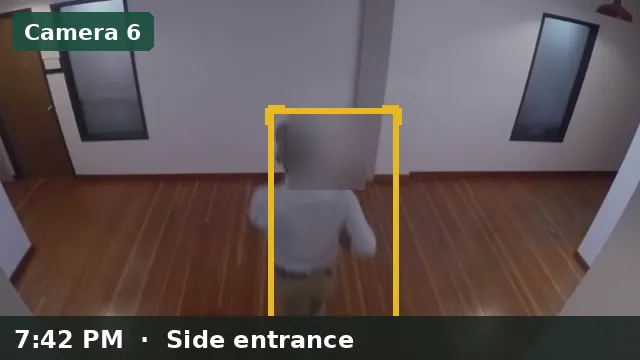
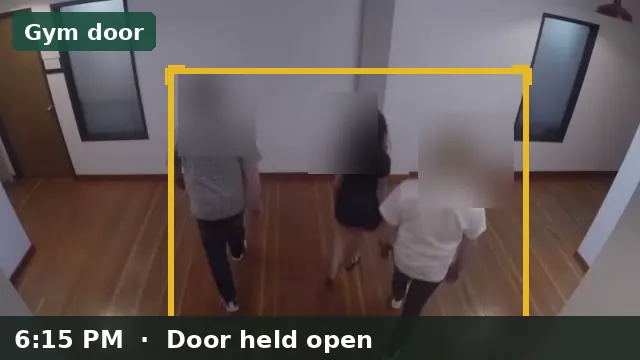
- Linked: Camera 6, Gym door
- Clip and snapshot attached
- Note: building checked, all clear
The problem
School security has turned into a subscription.
Most schools already paid for cameras and door readers. Then the platform pitch arrives: rent the software for every camera, every year, and let a vendor hold the video and the access logs. Replacing working gear is slow and expensive. Leaving it alone means no clear alerts and a network nobody has mapped.
of reporting K-12 schools experienced cyber threat impacts between July 2023 and December 2024.
Source: CIS MS-ISAC K-12 Cybersecurity Report, with CoSN, March 2025.U.S. K-12 school districts were hit by ransomware in 2024, up from 45 in 2022.
Source: Emsisoft, State of Ransomware in the U.S. 2024.student records were reportedly taken in the December 2024 PowerSchool breach, which began with a stolen support-portal login.
Source: BleepingComputer, January 2025. PowerSchool has not confirmed the exact figure.What Pioneer does, and what it does not. These are industry figures about cyber risk in schools. They are not claims about Pioneer's results, and Pioneer would not have stopped those incidents. At install, Pioneer hardens its own box and the camera network: separate network zones, DNS filtering, intrusion monitoring, and keyed remote access. Pioneer is not a district-wide cybersecurity product. It does not protect student records, and it does not replace a student information system.
How it works
You give us a place. We set it up.
One small computer in your network closet becomes the brain. Your cameras and door readers stay exactly where they are.
Walkthrough
We look at your cameras, doors and network, in person or from photos and a short call.
Gap map
You get a plain written map: what you have, what is missing, and the path to go live.
Install
We set up the Pioneer computer, connect your cameras and doors, and separate the network zones.
Support
We keep it updated and check that detection and backups are working.
What you keep and what we add
Nothing gets ripped out.
The things you paid for
- Your IP cameras
- Your door readers and access control
- Your recorder, if we can read its camera streams
- Your student information system, untouched
- Your own staff and your own decisions
The brain in your building
- A small computer in your building running Pioneer
- Alerts for people and motion, sent to the staff you pick
- Cases that pull clips, notes and door events together
- Event clips, plus review and rewind on the box
- Separate network zones for students, staff and security
- Updates, backup checks and remote support
What staff see
A clear answer to "what needs attention right now?"
Pioneer is built for the people who run the building day to day, not for a security operations center.
Alerts that mean something
People and vehicles on your feeds, with after-hours and quiet-hour rules. Text, email and call alerts go live when the provider account is added.
Cases
Open an incident, attach clips and door events, add notes, and copy a summary to share.
Find
Search alerts, cases and door events by time, camera or keyword. Get to the moment in minutes.
Review and rewind
Every alert gets an event clip. You can also scrub any camera by date and time. Recording stays on the box, for 30, 60 or 90 days.
Door events with video
Works alongside your door system. It listens to door events and never unlocks a door.
A network that stays separate
Student and guest Wi-Fi cannot reach the camera network or staff systems. This is part of the install.
See it in 90 seconds
The short version, in a short video.
A quick walk through the problem, what Pioneer adds, and what staff see on a normal day.
Illustrated with sample data. No real school, people or customers are shown.
How we are different
Own the brain instead of renting it.
Cloud camera platforms are good at being easy. They are also built around their own cameras, per-camera licenses, and a vendor-held dashboard. Pioneer takes the useful parts, like cases and fast search, and runs them on your hardware.
No per-camera license
A flat monthly Support fee of about $300 per typical building, with no per-camera fee.
No camera lock-in
We work with the IP cameras you have. If you add cameras later, you choose the brand.
No public dashboard
There is no internet-facing camera website for a stolen password to open.
Side-by-side comparison, including when someone else is the better choice
Security and privacy
Built to be harder to attack.
We do not claim a system cannot be hacked. We make the common paths in much harder to use.
- Video stays in your building. No Pioneer cloud holds your footage.
- Cameras are not opened to the internet. We check for forwarded ports and public dashboards during setup.
- Remote support uses keys, not a shared password. A few named devices, removable in minutes.
- Four separate network zones in the standard design: students and guests, staff, cameras and doors, and management.
- Encrypted backups of configuration and critical data.
Who it is for
Districts and colleges with gear they already own.
K-12 districts
For business administrators, facilities and technology directors who want clear alerts and a lower recurring bill, without a rebuild.
K-12 districtsColleges and multi-building campuses
For public safety, facilities and IT teams running many buildings with a mix of cameras and access systems.
Colleges and campusesPricing approach
One quote. No per‑camera meter.
You pay for a one-time setup and a flat monthly Support fee of about $300 per typical building, with no per-camera fee. You own the hardware. We show you the numbers after the gap map, not before you have told us anything.
1. Gap map
A written map of what you have and what you need.
2. Setup
Hardware and configuration, quoted as one itemized number.
3. Support
About $300 a month per typical building, for updates, checks, backups and support. No per-camera fee.
Questions
Straight answers.
Do we have to replace our cameras or door readers?
No. Pioneer is built to work with the cameras and door readers you already own. Most IP cameras connect over RTSP. An ONVIF probe is in the product. We check your gear during the gap map and tell you plainly if something will not work.
Where does our video go?
It stays in your building, on equipment you own. There is no Pioneer cloud account that holds your footage, and no public camera website for strangers to find.
Can the system be hacked?
Any connected system can be attacked, and nobody honest will tell you otherwise. Our aim is to make the system harder to attack than a flat network with a shared cloud login. That means separate network zones, no cameras open to the internet, keyed remote access, and encrypted backups. A person with a key, or physical access to the closet, is a risk that never reaches zero. Our security page explains where the limits are.
Does Pioneer replace our fire alarm?
Never. Your listed fire alarm system stays in charge of life safety. Exits stay open from the inside. Pioneer does not change that.
What does it cost?
A one-time setup, quoted after the gap map, plus a flat monthly Support fee of about $300 per typical building, with no per-camera fee. See how pricing works.
Who is behind this
Built by a founder who came up in the trades.
Pioneer Security Systems was started by Mark Meyer, a former pipefitter and salesman, to put serious security under a school's own control.
Book a demo and we will show you the product, then talk through the cameras and doors you already own.
See it on a setup like yours
Book a short demo, or send us what you run today and we will map it. No pressure and no pitch deck.